Solar 3D Printers Home Assistant Electronics Meshtastic RISC-V Local Weather
RISC, RISC is good.
I'm starting an adventure on RISC-V. I purcahsed myself an Orange Pi RV2. I know the Orange Pi "Company" gets a lot of flak for only focusing on hardware, and leaving the software part up to the community. I've previously had some ARM based Orange Pis. Actually a lot. I had a Orange Pi Zero Cluster for awhile, along with a Orange Pi One Plus. These ran my projects, apps and home. I was lucky to use them via Armbian and not have to worry about Orange Pi not updating their images. Those Orange Pis have been sold off and I now use a large x86/x64 server for the bulk of my projects.
The RV2 features a processor that I wanted to get my hands on. Orange Pi had SpaceMIT relabel their K1 processor to Ky X1. Odd choice, but I think they wanted to stand out? Either way. It's actually a SpaceMIT K1. This is their first RVV 1.0 CPU. Its compliant with RVA22, and only has the V from the RVA23. While I will be a fanboi and swarm their new K3 processor when it launches, the K1 is a great start. The K1 features 8 cores of SpaceMITs x60 series. It can handle up to 16GB RAM, but the RV2 features 8GB. There are other boards out there with the full 16GB; Milk-V Jupiter for example. The CPU also has PCIe 2.0 and a GPU from Imagination.
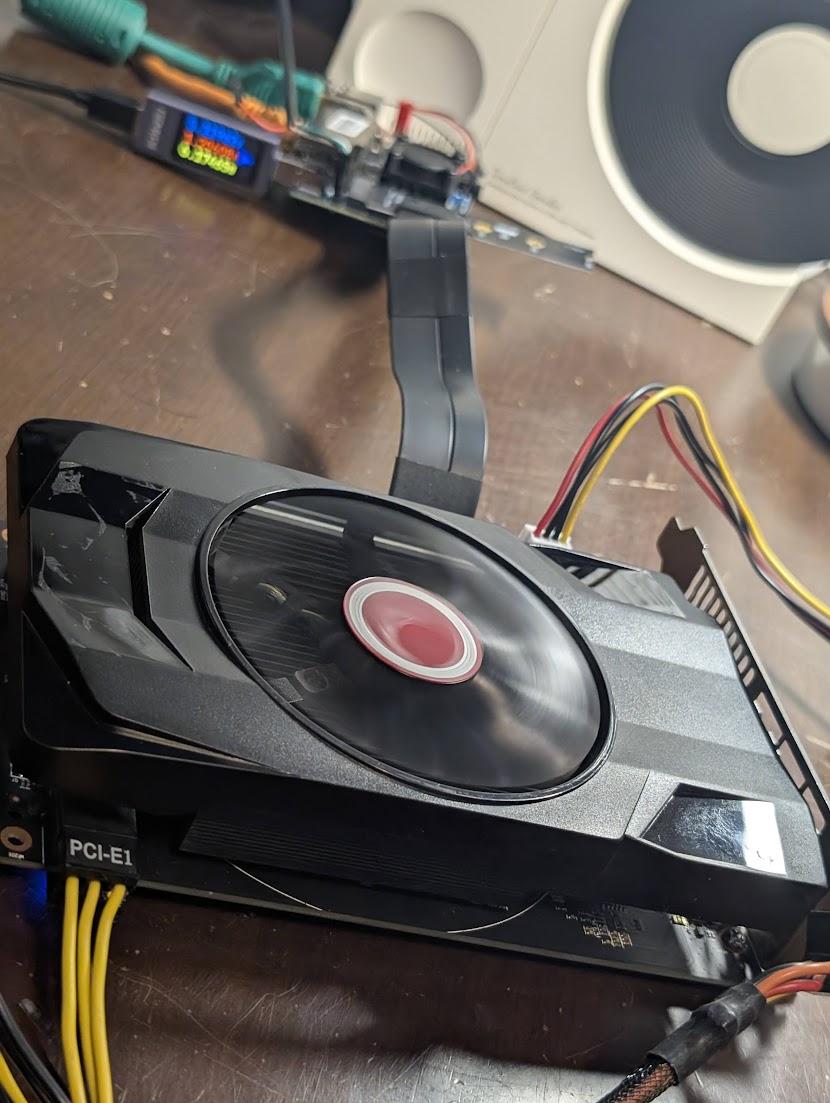
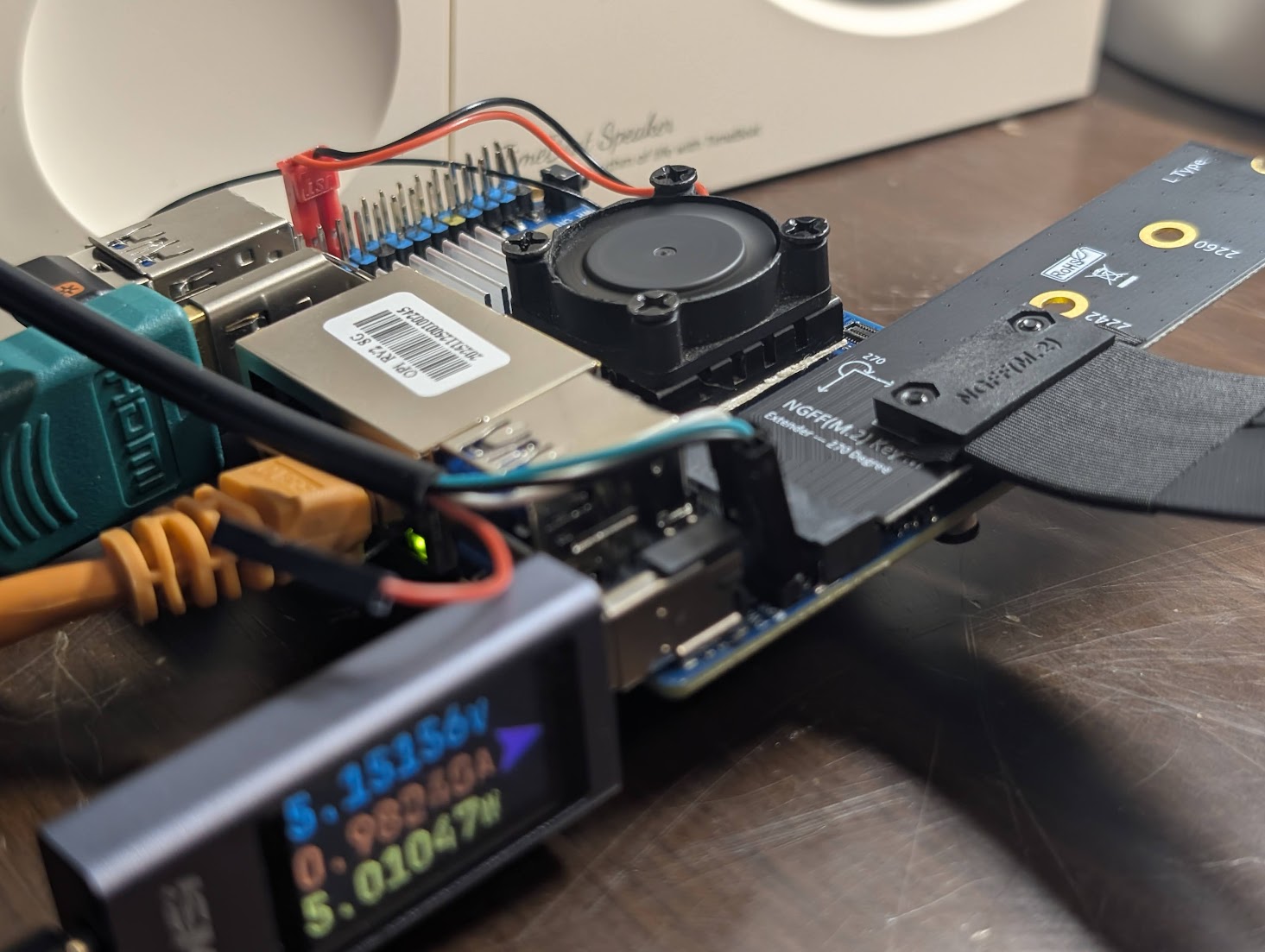
The plan with this board is to push it to it's limits. I ordered along with the board some adapters. I'm going to break out one of the M.2 M-Key slots to a full PCIe slot. This is to run an external GPU with better kernel support, AMD. I also ordered myslef an adapter to add a SFF port to split out into SATA. The plan is to utilize the system to its limits. I want to know what I can do, and what I can't do.
OS wise, Orange Pi suffers. If the board isn't popular with the 'community' then almost no development happens on the software side. Sometimes the boards have quirks that just make it unable to work with mainline. Thankfully the RV2 does feature the K1 and it's pretty darn close to being 100% on mainline. Obviously you'll need to either copy the DTB or compile your own, but that's easy stuff. I plan on running SpaceMITs OS, BianBu OS. They are doing a great job with updates and making the functions of the K1 just work.
Well I have the device in hand. I installed the Ubuntu image from Orange Pi's website. It went ok. The OS itself is fine, with some issues. I found swappiness set to 100. zram looks like a failed expirement. Some drivers work. So the big thing with these boards is usually nothing gets mainlined because of non-standard CPU quirks or power requirements...just odd things. Of course this includes things like firmware/driver blobs from companies that refuse to OS their work. So while Debian has mainlined the RV2, things like GPU, NPU and VPU do not work. On Orange Pi's OS, these work...sort of. GPU works fine enough, opengl works, vulkan crashes. VPU works great, handles 4k, 1080p all that without breaking a sweat. According to FFMPEG, which is a custom version with the stcodecs for ?SpaceMIT? not sure. I ran the Orange Pi OS for a few days and decided I had enough of their hack work and wanted something a bit more polished. I tried Debian, but HDMI does NOT work right now. So I went down the SpaceMIT path of Bianbu OS.
I flashed Bianbu OS 3.01 onto an SD Card. I saw the logo, then nothing. Via serial I saw it failed to find a DTB. Okay easy enough. I took the DTB from the Orange Pi OS and dropped it in the boot location. It started up more, attempted to load the kernel, panic. Okay so I tried their development board DTB, deb1. This booted! But nothing worked outside of USB 2.1. I was getting closer, or so I thought. I attempted to build a new DTB using the old and the deb1 as a guide. This didn't work I tried many many times and failed to compile, or boot. I asked on Reddit. Someone told me the DTB included called innoboard is the RV2. I tried it, booted up with Ethernet, USB and Wifi. Excellent. Bianbu OS 3.01 is working on my Orange Pi RV2. Sure it's still 6.6.63, but now I know the *PU drivers are closer to the developer and might be updated.
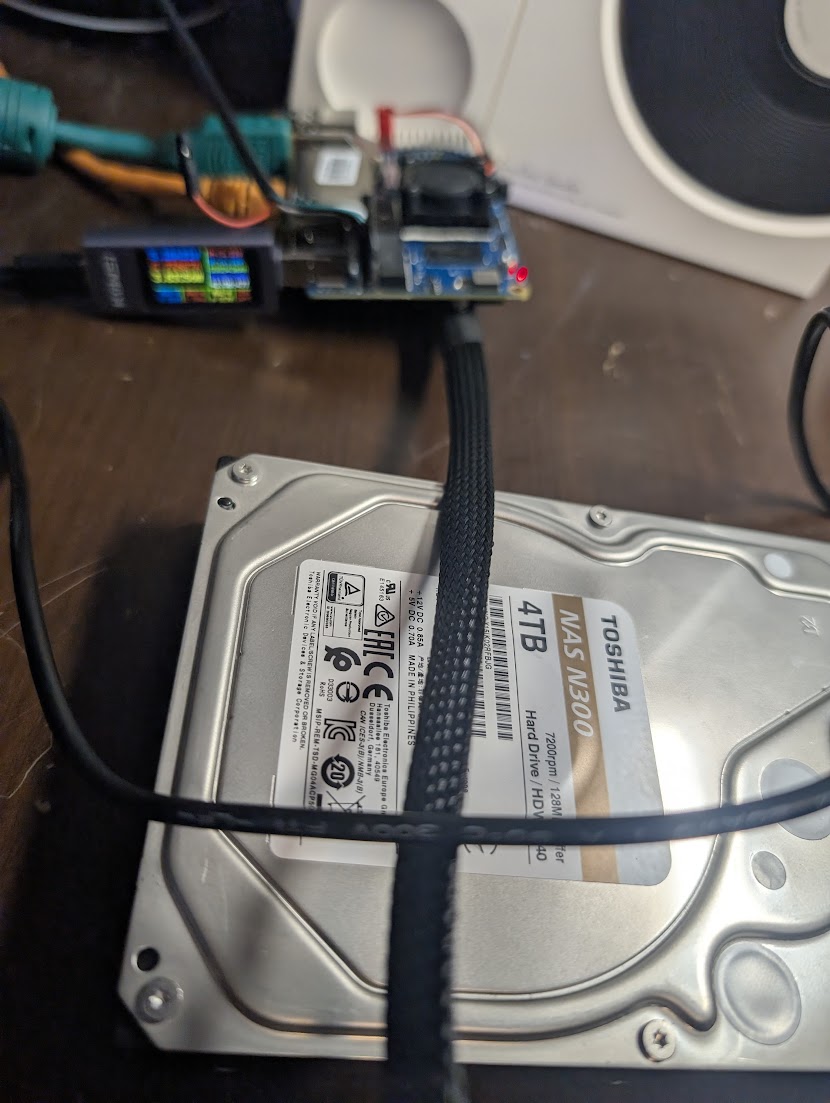
Testing things is fun. I got my PCIe stuff and started away. The ASMedia 1064 SFF adapter works fantastic. I got the M.2 M-Key and it goes right in and screws down. A SFF to SATA Cable and I was off. Speeds are pretty good for a SBC. I'm able to saturate a single disk without issues. I am using a 4tb Toshiba NAS drive for tests. 150-180MB/S Writes!
Who doesn't like an External GPU. I tried using a GPU externally on the RV2. Results varied. First I tried with the Orange Pi OS and DTB. Big issues here. BAR/REBAR kept failing to assign space because Orange Pi's DTB only allocates 1MB to the entire area, wild stuff. Using Bianbu OS and their DTB, no issues. AMD RX 560 2GB is detected and works out of the box. I was even able to get video out and a desktop. Performance is meh, im sure therese tons of tuning to do, but its alright. I'm just amazed it works!